What okELSTER sees—and what it doesn’t
okELSTER uses the data that is automatically reported to the tax office. Individual expenses that could increase your refund are not queried in the 1-click version.
What has already been reported
- badgeWages & income tax from your employer
- medical_servicesHealth and long-term care insurance premiums
- elderlyPensions and retirement benefits
- savingsRiester & Rürup Contracts
- account_balanceSocial Security Contributions
What Can Increase Your Refund
- commuteCommuter allowance—up to 2,000 €
- home_workWork-from-home days—up to €1,260
- constructionTradespeople & household help—up to €1,200
- computerWork equipment (laptop, desk, etc.)—individual
- favoriteDonations & medical expenses—on a case-by-case basis
For reference
For example: With a marginal tax rate of 42%, a €1,000 item that is not claimed results in approximately €420 less in refunds. The actual impact depends on your individual tax situation. This is exactly where taxtastic comes in.
The amounts listed are statutory maximum or guideline values; they do not represent a guaranteed refund.
Run your example through the calculator
Move the sliders—see which deductions the one-click option doesn’t account for.
Your Key Data
Simplified example: Employee, single, 42% marginal tax rate.
Simplified model calculation based on the entered values and statutory flat rates. No tax advice provided. The actual refund depends on your individual tax situation and may vary.
Where the 1-Click Deductions Feature Applies
Three simplified model calculations—how actively selected deductions can affect your return. Fictitious examples; no real people involved.
Commuter (model case)
Hybrid Worker (Model Case)
Retiree (model case)
Simplified, hypothetical model calculations for illustrative purposes. Not tax advice. Actual results depend on individual tax circumstances.
okELSTER vs. taxtastic
Two ways to file with the IRS. One asks for your deductions—one doesn’t.
Comparison based on the information currently published by the tax authorities regarding the planned okELSTER functionality (as of June 2026). okELSTER will launch on July 1, 2026; the scope of functionality is subject to change.
Just as simple. Only more thorough.
taxtastic starts just like okELSTER—with the data you’ve already reported. The difference: We actively look for anything that can increase your refund.
Automatically retrieve data
We retrieve your wage, pension, and insurance data directly from the tax office—just like okELSTER.
Targeted questions instead of forms
We ask about items that can increase your refund: commute, working from home, contractors, donations—in plain language, not tax jargon.
See the results in real time
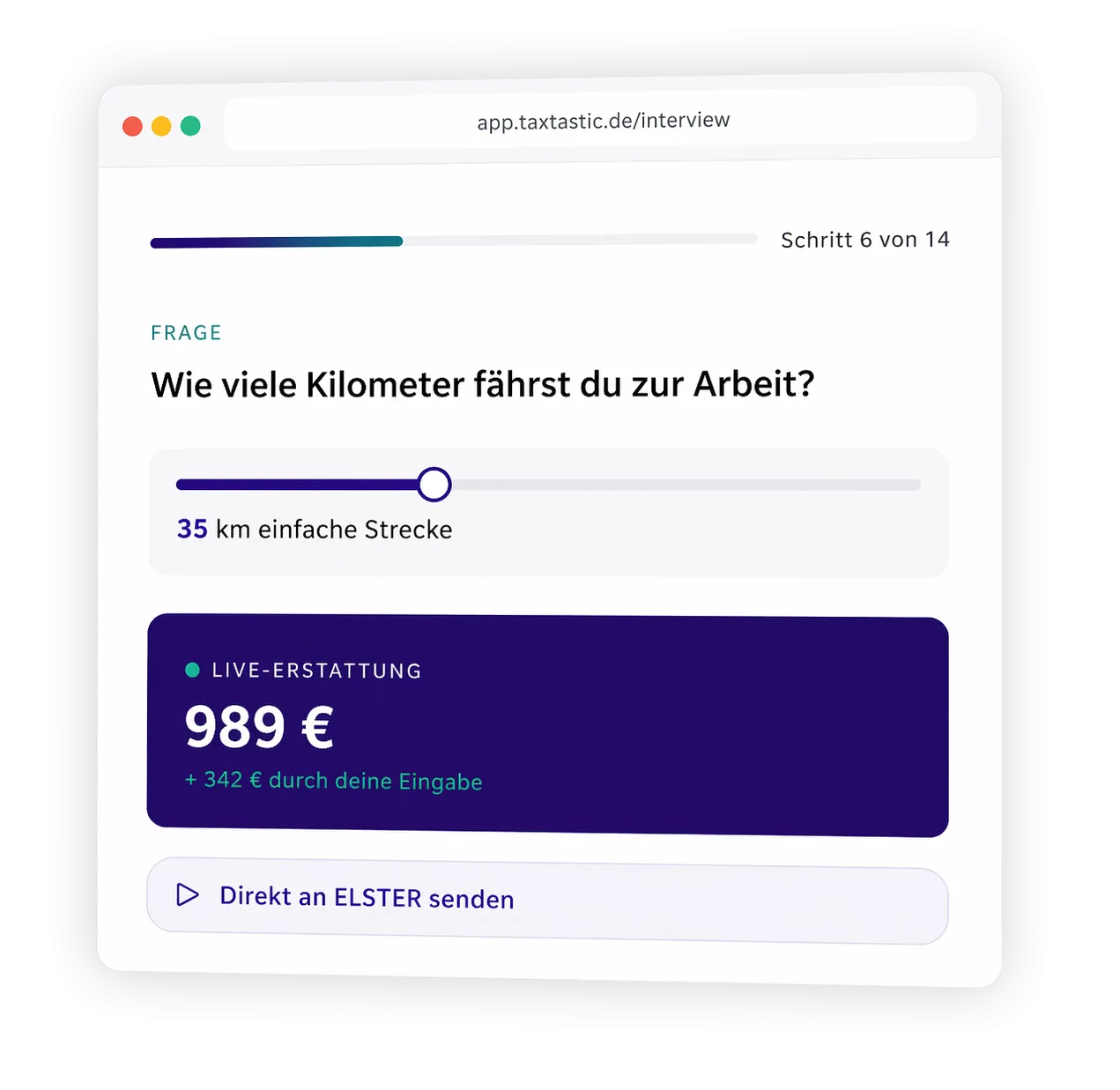
With every answer, your estimated refund updates in real time. You’ll see right away what’s worth it for you.
Directly to the tax office—via ELSTER
Your completed tax return is submitted via the official ELSTER interface. Secure, paperless, and GDPR-compliant.
Pre-filled doesn’t mean complete
A one-click tax return is convenient—but it only reflects what the tax office already has on file. Here are three reasons why you should still take a closer look.
Pre-filled data contains only information that has already been reported to the tax office. If you confirm it without checking, you might miss out on potential deductions.
Only you know your individual expenses. Commuting costs, working from home, or contractor fees don’t appear in the reported data.
A statement that appears complete can lead one to assume it is exhaustive—and to forego a more detailed review.
Frequently Asked Questions About okELSTER & taxtastic
okELSTER is a new feature in the MeinELSTER+ app that, according to the tax authorities, is scheduled to be available starting July 1, 2026. The tax office generates a pre-filled tax return based on data already reported by employers, health insurance providers, and pension insurance funds. You can confirm it with a single click—or add your own information.
You start for free and only pay once you submit your completed return. The difference from okELSTER: taxtastic actively asks you about potential deductions. How much this amounts to depends on your individual expenses.
According to the latest information from the tax authorities, in the first phase it’s primarily intended for single, childless employees as well as retirees and pensioners. Married individuals, parents, the self-employed, and freelancers are not currently included. taxtastic already covers these tax situations today.
okELSTER uses only data that is reported to the tax office anyway: wages, social security, and Riester pension contributions. It does not include individual items such as commuting expenses, working from home, work equipment, contractors, donations, or medical expenses. These do not automatically appear in the calculation—whether and to what extent this affects your tax liability depends on your specific tax situation.
Yes. taxtastic submits your tax return via the tax authority’s official ELSTER interface—just like okELSTER. Your data is processed with SSL encryption, hosted in Germany, and is GDPR-compliant.
You can only file one return per tax year. If you start directly with taxtastic, you’ll be asked for the individual items right from the start.
How much does taxtastic cost?
- Income Tax Return
- Validation Check
- One price—even for married couples
- Previous years: 4 for voluntary returns, up to 7 for mandatory returns
- Valuable tax tips
- All features of the BASIS plan
- Trade tax return
- Value-Added Tax Return
- Advance sales tax return
- Automatic EÜR. Includes depreciation, IAB, and all reserves.
- Integrated accounting tools
okELSTER is convenient.
taxtastic prompts you.
Don’t file your tax return half-heartedly. Check for yourself which deductions apply to you.
Register and try it for free · Pay only upon submission · ELSTER transmission included
Note: taxtastic is tax software and does not provide tax advice as defined by the Tax Advisory Act (StBerG). All amounts shown are simplified model calculations for illustrative purposes and do not constitute a guarantee of a specific refund. The actual tax refund depends on your individual tax situation. Information regarding okELSTER is based on the data available from the tax authorities at the time of publication (as of June 2026) and is subject to change.